
Every business has tasks that nobody enjoys but everybody has to do. Replying to the same enquiry emails, copying lead details into a spreadsheet, building weekly reports by hand, updating the CRM after every call. None of these tasks is difficult. But together they eat hours every single week.
Key Takeaways
- AI automation takes over routine tasks and simple decisions, so your team keeps the work only people can do.
- One workflow can carry a lead from enquiry to qualified, replied to and logged in your CRM, with no manual step in between.
- Four places to start: lead follow-ups, auto reporting, content workflows and CRM sync.
- The payoff is time saved, faster replies, fewer errors and the same quality of service at 2 a.m. as at 2 p.m.
- Begin with one high-impact workflow, measure what it saves, then move to the next.
Work Smarter, Not Harder: Why Repetitive Tasks Hold Businesses Back
Those hours add up. A team member who spends the morning on data entry is not spending it on strategy, sales calls or creative work. Worse, manual work leads to delays and mistakes. A lead that waits a day for a reply may already be talking to a competitor. A report with one wrong number can send a decision in the wrong direction.
This is exactly the problem AI automation solves. Instead of asking people to act like machines, you let machines handle the routine so people can do what only people can do. In this blog, we explain what AI automation really means, how a simple automated workflow looks in practice, and where your business can start using it today.
What Is AI Automation?
AI automation means using artificial intelligence to carry out tasks and decisions that used to need a human. Traditional automation follows fixed rules: if X happens, do Y. It works well, but it breaks the moment something unexpected shows up. AI automation adds understanding. It can read a message, judge what the person wants, pick the right response and learn from the result.
Think of it as the difference between an alarm clock and a personal assistant. The alarm clock rings at 7 a.m. no matter what. An assistant checks your calendar, notices your meeting moved, and wakes you at 8 instead.
For a business, this means AI agents that can:
- Understand incoming enquiries in plain language
- Sort and prioritise leads without a person reading each one
- Write and send relevant replies instantly
- Update your tools and notify your team automatically
The goal is not to replace your team. The goal is to remove the boring, repetitive layer of work so your team has more time for conversations, ideas and relationships.
How an Automated Workflow Works: From New Lead to Updated CRM
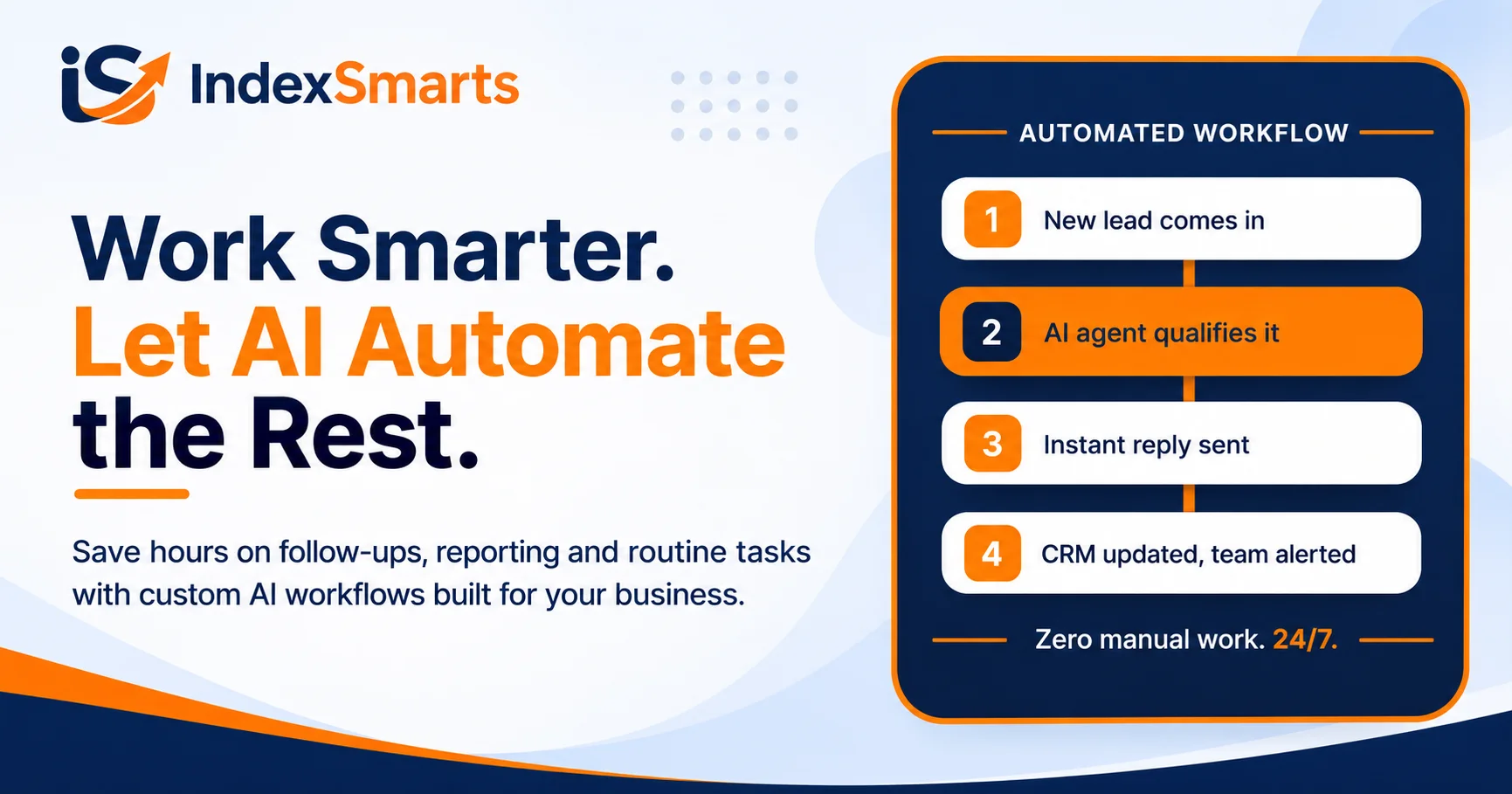
The easiest way to understand AI automation is to follow one lead through a simple workflow. Here is what happens in four steps, with no manual work in between.
- A new lead comes in. Someone fills out your website form, sends a message or enquires through any channel you connect. The workflow starts the moment they hit send.
- An AI agent qualifies the lead. The agent reads the enquiry, understands what the person needs, and checks it against your criteria. Is this a serious buyer or a general question? Which service are they interested in? The lead gets sorted and tagged automatically.
- An instant reply goes out. Based on what the agent understood, the lead receives a relevant, personal response within moments. No waiting for someone to open their inbox, no forgotten follow-ups.
- The CRM is updated and your team is alerted. The lead’s details, tags and conversation are saved in your CRM. The right team member gets a notification with everything they need to take the next step.
This entire sequence runs around the clock. A lead that arrives at 2 a.m. on a Sunday gets the same fast, consistent treatment as one that arrives on Monday at noon. Your team starts the day with organised, qualified leads instead of a messy inbox.
Four Areas Where You Can Automate Today
You do not need to automate everything at once. Most businesses get the best results by starting with four areas.
1. Lead Follow-Ups
Speed matters in sales. The faster you respond to an enquiry, the more likely it is to turn into a conversation. AI automation replies instantly, sends reminders, and follows up with leads who have gone quiet. Each message can be personalised using the details the lead shared, so it feels human rather than robotic.
2. Auto Reporting
Manual reports take hours to build and are outdated by the time they are shared. Automated reporting pulls data from your tools, organises it, and delivers a clean summary on a schedule you choose, whether daily, weekly or monthly. You and your clients always see current numbers without anyone copying and pasting.
3. Content Workflows
Content creation involves many repeatable steps: collecting ideas, drafting, formatting, scheduling and publishing. AI can help generate first drafts, adapt one piece for several platforms, and push approved content to your calendar. Your team still decides the message and tone. The workflow just removes the busywork around it.
4. CRM Sync
When customer data lives in many places, things slip through the cracks. CRM sync keeps your forms, email, chat and sales tools connected, so every contact, note and status update lands in the right place automatically. Your team always works from one accurate source of truth.
The Real Benefits of AI Automation
When routine work runs by itself, the effect shows up across the whole business.
- Time saved: Hours once spent on data entry, follow-ups and reports go back to your team for higher-value work.
- Faster response: Leads and customers get answers in moments, which builds trust and keeps interest high.
- Fewer errors: Machines do not forget a step or mistype a number, so your data stays clean and consistent.
- Consistency: Every lead and customer gets the same quality of service, whatever the time or day.
- Room to scale: You can handle more enquiries and clients without hiring at the same pace.
- Happier teams: People enjoy work more when they are solving problems instead of repeating tasks.
The result is a business that runs smoothly 24/7, with a team free to focus on growth.
How to Get Started with AI Automation
Starting small is the smartest approach. A simple, clear plan helps you see results quickly and build confidence.
- List your repetitive tasks. Ask your team what they do every day or week that feels like copy-paste work. These are your best candidates.
- Pick one high-impact workflow. Choose the task that costs the most time or causes the most delays. For many businesses, that is lead follow-up.
- Map the steps. Write down what happens today, from trigger to final result. A clear map makes automation far easier to build.
- Build and test. Set up the workflow, run it with real examples, and check that every step behaves as expected.
- Measure and improve. Track the time saved and the quality of results, then refine the workflow and move on to the next task.
A good automation partner can speed this up considerably. They bring experience, tools and ready patterns, so you avoid trial and error and go live faster.
Common Myths About AI Automation
Many business owners hesitate because of a few popular misunderstandings. Let us clear them up.
“It will replace my team”
Automation takes over repetitive tasks, not human judgement. Your people are still the ones who build relationships, make decisions and bring creativity. They simply stop spending their day on routine work.
“It is only for big companies”
Small and growing businesses often benefit the most. When a team is small, every hour counts, and automating even one workflow can free up serious time.
“It is too complicated to set up”
Modern automation tools connect with the platforms you already use. With the right partner, a first workflow can be planned and running without a long technical project.
“It will sound robotic to my customers”
Well-built AI agents write natural, relevant replies based on what the customer actually asked. When it is done properly, customers get faster and often better service than before.
The real risk is not trying automation. It is watching competitors respond faster, work leaner and grow while your team is stuck on manual tasks.
Automate Smarter with IndexSmarts
At IndexSmarts, we build custom AI workflows around the way your business actually works. We do not hand you a generic tool and walk away. We look at your lead flow, your reporting, your content process and your CRM, then design automations that remove the manual work and fit smoothly with the tools you already use.
Whether you want instant lead replies, automatic reports, smoother content workflows or a connected CRM, our team can help you plan it, build it and keep improving it. Automation also works best alongside everything else you run, so it is worth seeing how it fits with our digital marketing services, and with the AI SEO services that bring those enquiries in. Less manual work. More growth.
Ready to see what automation can do for your business? Talk to our team and let’s build your first workflow together.